Our Experience Using the Reading.Com App
When I taught my older daughter to read, I didn’t use any apps or games. And the Reading.com app wasn’t even an option on Android back then. When it did release in 2025, it would have been too late for my oldest to try. She was 4 and already reading independently.
I taught my oldest using some flashcards, decodable books, and leveled readers. At first we sounded out words on a whiteboard, and later we mostly sounded them out in her books (with the whiteboard as support for trickier words). This method worked, and my 5-year-old is now reading chapter books at roughly a 3rd grade level. She’s seen her sister using the Reading.com app and thinks it looks fun (and wishes she’d gotten to use it too), but at this point it’s way too easy for her.
And I say all of this upfront because I don’t want anyone to read this review and come away feeling like an app is the only way to teach your child to read. It isn’t. And if you don’t want to teach reading with an app, you really don’t have to.
Now on to our story. Why did I decide to use an app in the first place? And how do I feel about it?
I started teaching my youngest to read in much the same way as I had with my oldest. We started by learning all of the letters and letter sounds. Then we moved on to blending words on a whiteboard. She was at the point where she could successfully read simple CVC words.
This was around the time I had introduced my oldest to her first decodable books, so I started doing the same with my younger daughter. But we soon ran into a problem.
With my older daughter, every time we read a decodable book together, it was her first time reading it. She didn’t know the story, so I could easily tell if she was really reading the words. But my youngest was very familiar with these books. She’d grown up with them around and had heard the stories before. She was reading them from memory rather than sounding out the words.
At the time, I was seeing a lot of ads for different reading apps. But Reading.com stood out to me because its approach of sliding a bar under the word as you sound it out was very similar to what we already did when we practiced on a whiteboard.
I looked into the app a bit, and what I saw seemed promising. The app was parent-led: the intention was for me to sit with her and guide her through it. And the lessons were phonics-based. I liked that because I didn’t want to just hand her a screen and walk away. I still wanted to be involved in teaching her.
The advantage was that it took a lot of the lesson planning out of it. The curriculum was already laid out, with each lesson building on the one before it. I just had to sit with my daughter and guide her through it. It seemed like it would make things a little easier for me.
I talked it over with my husband. I wouldn’t call us a “no screen” family, but we do limit screen time quite a bit. Our kids (3 and 5) don’t have tablets. They get a bit of TV time in the morning when they’re getting their hair done, and again at snack time. But other than that, they’re expected to play, read, build, make art, and find other things to do. I guess I would say we’re pretty selective about screen time.
When we discussed using an app, our biggest concern was that it would gamify learning too much. My husband didn’t want the kids to expect every part of learning to be turned into a game. They need to be okay with the moments that aren’t exciting, too. The moments that feel a little harder.
I told my husband that we would treat the app as a supplement. It wouldn’t be the only learning she did. But if it helped her get more practice and kept her excited to learn, then I thought it could be a helpful tool.
Initial Thoughts
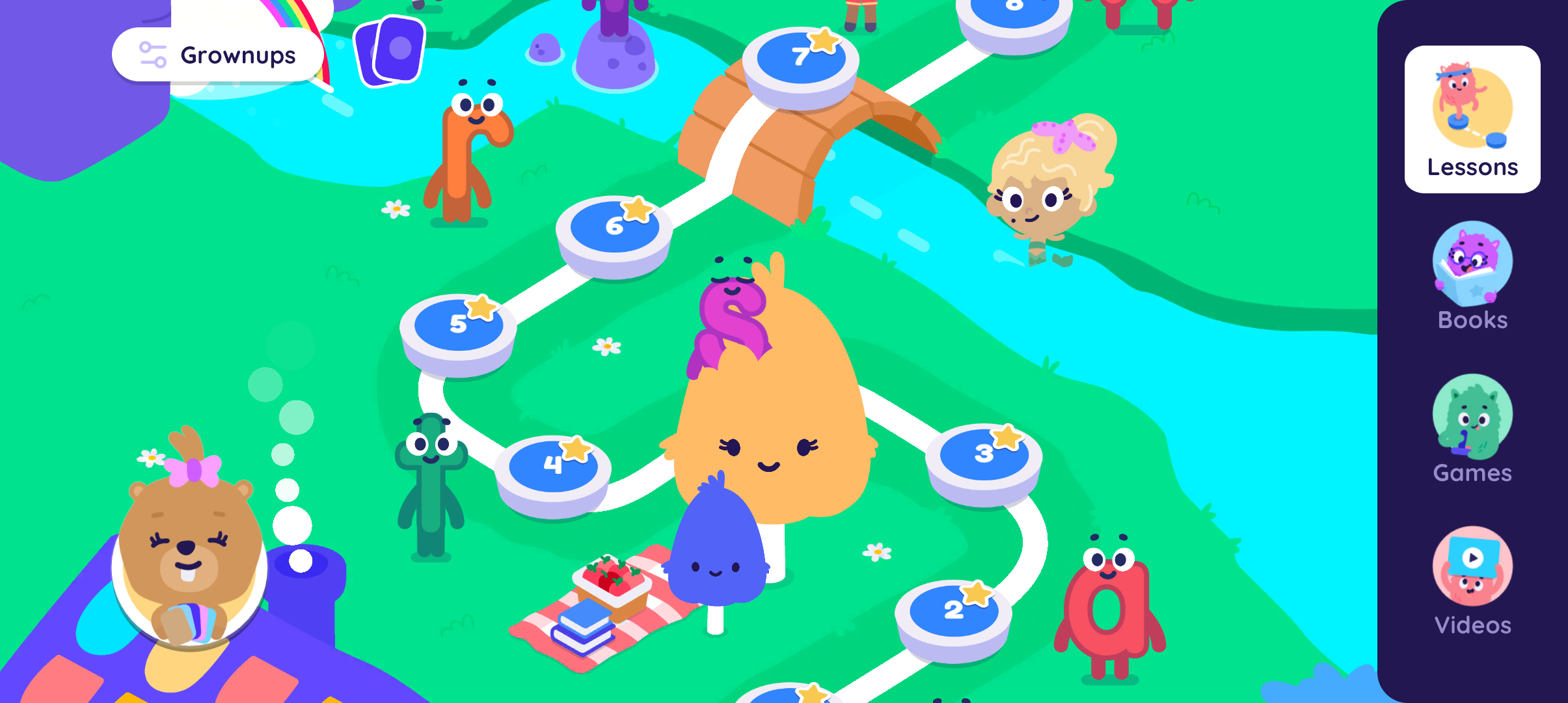
When we first opened the app, we were directed to take a placement test to see what level my daughter was already at. This let us skip the earliest lessons, which taught the first letters and letter sounds, and start at a point where there were already simple decodable books for her to read.
The lessons were actually pretty similar to the way I taught my daughters at home. They weren't all exactly the same, but generally you would start with a review (usually a few of the letters they were working on), build up to practicing reading words, and finish by reading a simple book. The book would feature many of the words the child had just practiced in the “word reading” part of the lesson.
Generally speaking, I liked the way the lessons were structured. The warm-up gave my daughter a chance to build up some confidence, and practicing the words before she encountered them in the book made the reading a little easier for her.
I also really liked that some of the earlier books were designed to be co-read. I would read a harder part of the story, and then there would be an easier sentence for her to read by herself. It helped make the stories more interesting even though the books were short and she could only read simple words at that point. And my daughter loved these books. She was always really excited to read them.
Sight Words and Visual Cues
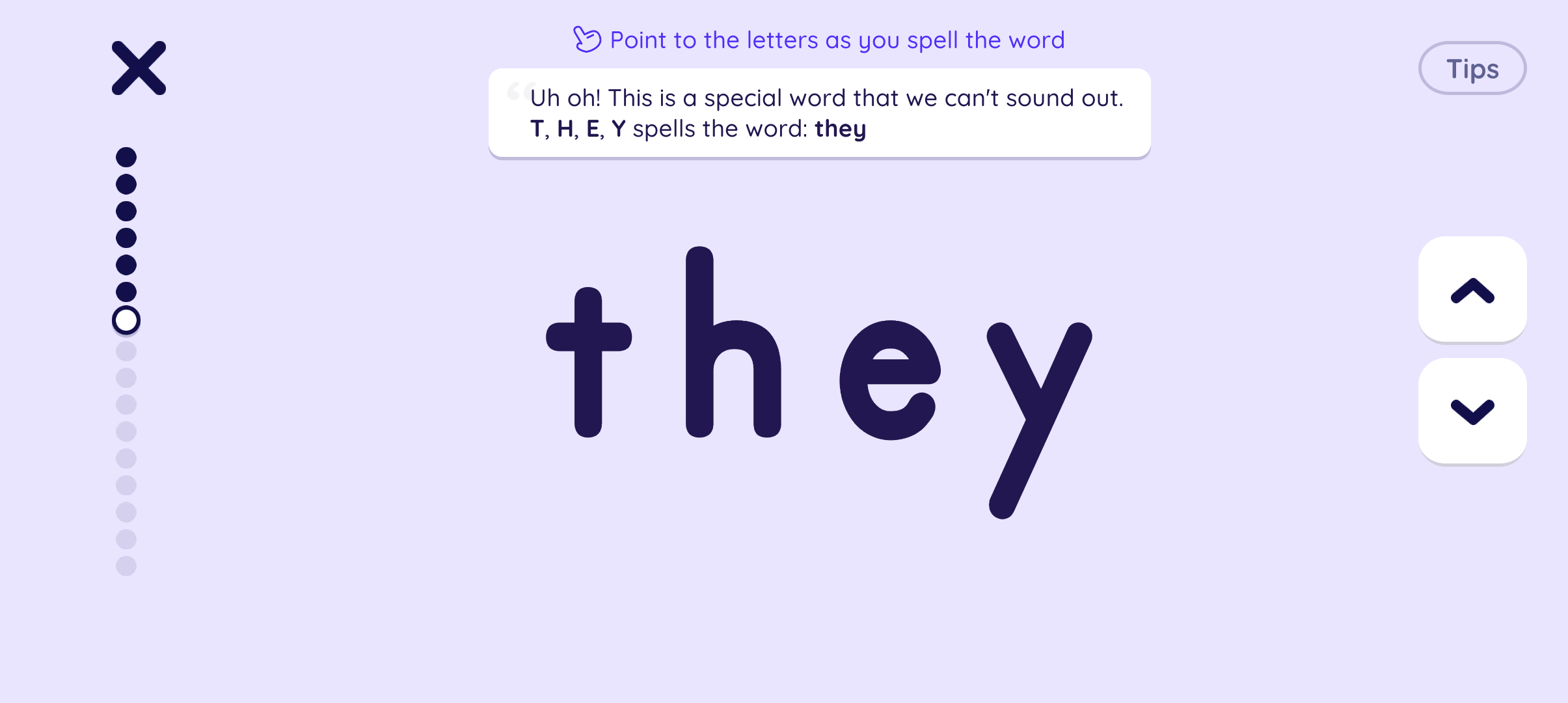
What I was less thrilled about was the app’s approach to sight words. Rather than having the child sound out the parts of the word they’re able to (this is how I taught, and it’s sometimes referred to as the “heart method”), the app would have the child memorize the whole word.
I could work around this to some extent. When the app introduced a new word by saying, “This is a word you can’t sound out,” I would just write the word on our whiteboard and help my daughter read it. If that meant taking some time to learn a new phonics rule, we would do that before jumping back into the app. Then, when she ran into that sight word again in one of the stories, I could remind her of the rule.
Handling it this way worked, but it wasn’t perfect. Because memorizing sight words was built into the curriculum, the app also waited much longer to teach some phonics patterns that I personally would have introduced earlier. For instance, they waited until almost lesson 90 to teach the “th” sound. For me, that's one of the earlier sounds I teach because it shows up in so many common words: this, that, the, there, then, they, etc.
This became especially noticeable once they started introducing words with long vowel sounds.
The app uses visual cues to show kids when a vowel makes its long sound. So, for example, in the word me, they’ll put a green line over the e to show that it says “ee” (like in bee) rather than “eh” (like in egg).
There’s no doubt in my mind that these visual cues make it easier for kids to read the words. But I had mixed feelings about them.
Sometimes the app seemed to use the visual cues to get around teaching a phonics pattern earlier than they wanted to. For instance, instead of teaching that ay says /ay/ (like in pay, may, and day), they would just write day with a green line over the a. And yes, my daughter could successfully read the word that way. But in real life, words don't have green lines over them. Eventually, kids still need to understand what's happening in the word.
I worried that the app was sometimes training kids to look for the visual cue instead of really noticing the pattern behind the word. I especially felt this way with magic “e” words. The app does eventually teach magic “e,” but if a child has gotten used to looking for a green line over the vowel, they may not be paying as much attention to the connection between that vowel and the e at the end of the word.
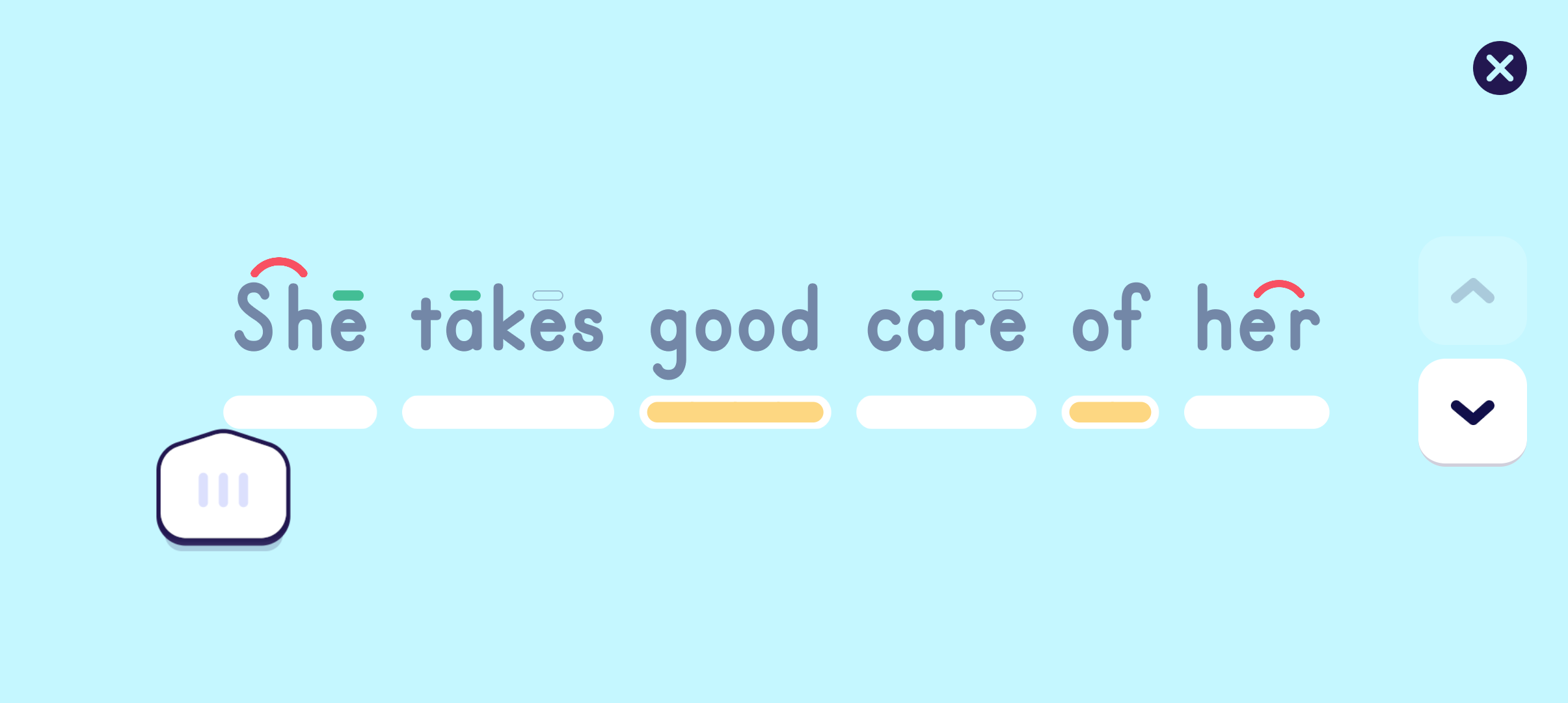
Personally, I would have liked to see the app use the visual cues when it first introduced a new phonics pattern, and then gradually phase them out after a few lessons of practice. Once a child knows that “sh” says /sh/, for example, you don't need to keep putting a cue over it every time it appears. Even just having a setting where parents could turn the visual cues on and off would have been helpful.
I checked the very last book in the app, when kids are supposed to be reading at around a second-grade level, and the phonics patterns still have visual cues over them. By that point, I really would have liked to see kids practicing without that extra help.
Books and Games
Two of the things I really liked about the app were its selection of books and games.
The selection of decodable readers was quite big. Across all four levels, there are 84 books to read, starting at the very beginner level and going all the way up to around a second-grade level at the end. And even though I didn't love how sight words and some phonics patterns were handled, the progression of the books was very gradual. We never had a moment where we opened a new book and my daughter was suddenly really frustrated or struggling to read it.
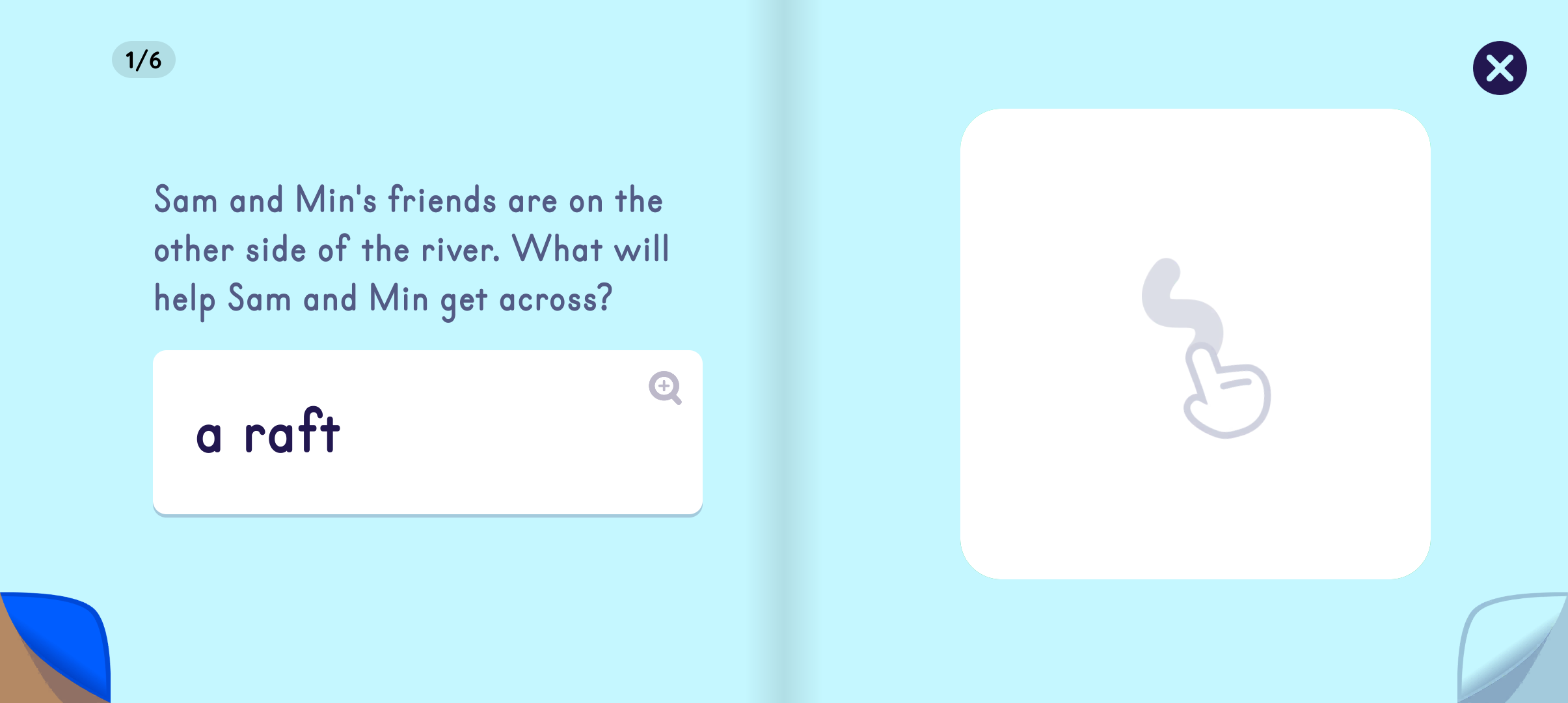
One feature I especially loved was that the picture on each page was only revealed after my daughter read the text. This helped discourage her from looking at the picture and guessing what the words said instead of actually reading them.
Once she'd read a book as part of a lesson, it was also unlocked in the library. My daughter liked going back and rereading books she'd already finished, so she ended up getting quite a bit of extra reading practice that way. And all of that rereading helped her become more familiar with words she'd seen before.
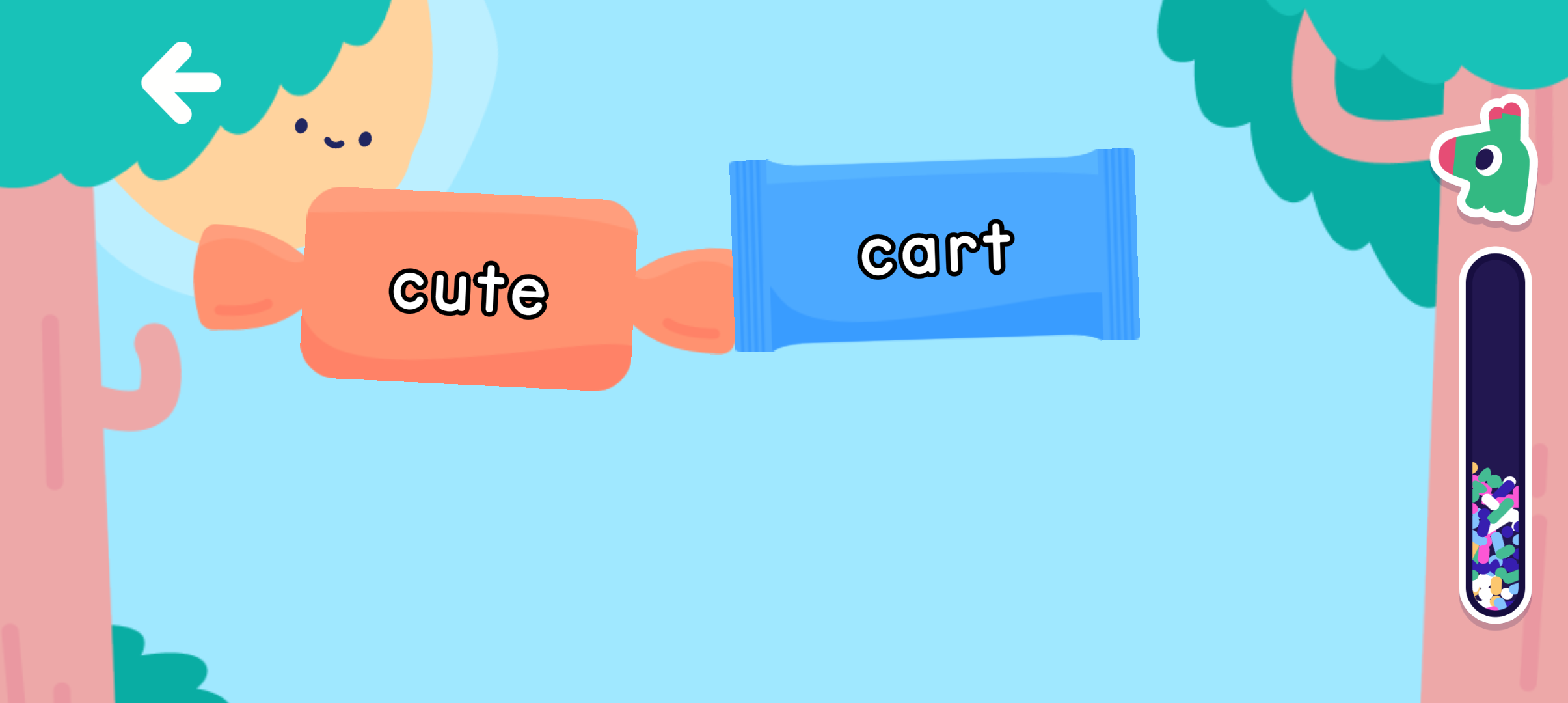
The games were also a nice bonus. We'd spend a few minutes playing games that taught her to listen for different sounds in a word (what sound do you hear at the beginning, middle, or end?), practice writing letters by tracing them, or recognize sight words more quickly.
There were also printable activities, and my daughter enjoyed those too. One was “color by word,” which was basically a word version of color by number. Instead of looking for a number to figure out which color to use, she had to read common sight words.

Final Thoughts
So, would I recommend Reading.com?
Overall, yes. My daughter really enjoyed using the app, and it gave her a lot of reading practice. I loved the large selection of books, the gradual progression between lessons, and the games and activities that kept her excited to learn. And from a parent's perspective, I really appreciated having the lessons already planned out for me. I could sit down with my daughter, open the app, and know exactly what we were working on that day.
But I wouldn't use the app as my child's only source of reading instruction.
There were parts of the curriculum I disagreed with, particularly the way it handled sight words and its reliance on visual cues for phonics patterns. Because I was sitting with my daughter while she used the app, I could step in when I felt like she needed a different explanation. We also continued reading physical books so she got plenty of practice reading words without those visual cues.
And I think that's ultimately how Reading.com worked best for our family: as a tool, rather than the whole curriculum. It made teaching reading easier for me, gave my daughter a lot of extra practice, and most importantly, she genuinely enjoyed using it.
Would I have been able to teach her to read without it? Absolutely. I already had with my older daughter.
But did it make the process easier and more fun for us the second time around? Yes. And for me, that made it worth using.
Looking for more reading resources?
I’ve put together the books, flashcards, games, and other reading tools I’ve found helpful along the way.